
Our AI-powered toolkit for data migration.
MigraFrame is Migra’s own end-to-end toolkit, from discovery and profiling to mapping, quality, loads and reconciliation. Its built-in intelligence learns from every migration we deliver, so yours starts with everything we already know.
Everything a mapping needs, in one place.
Every rule, in one place.
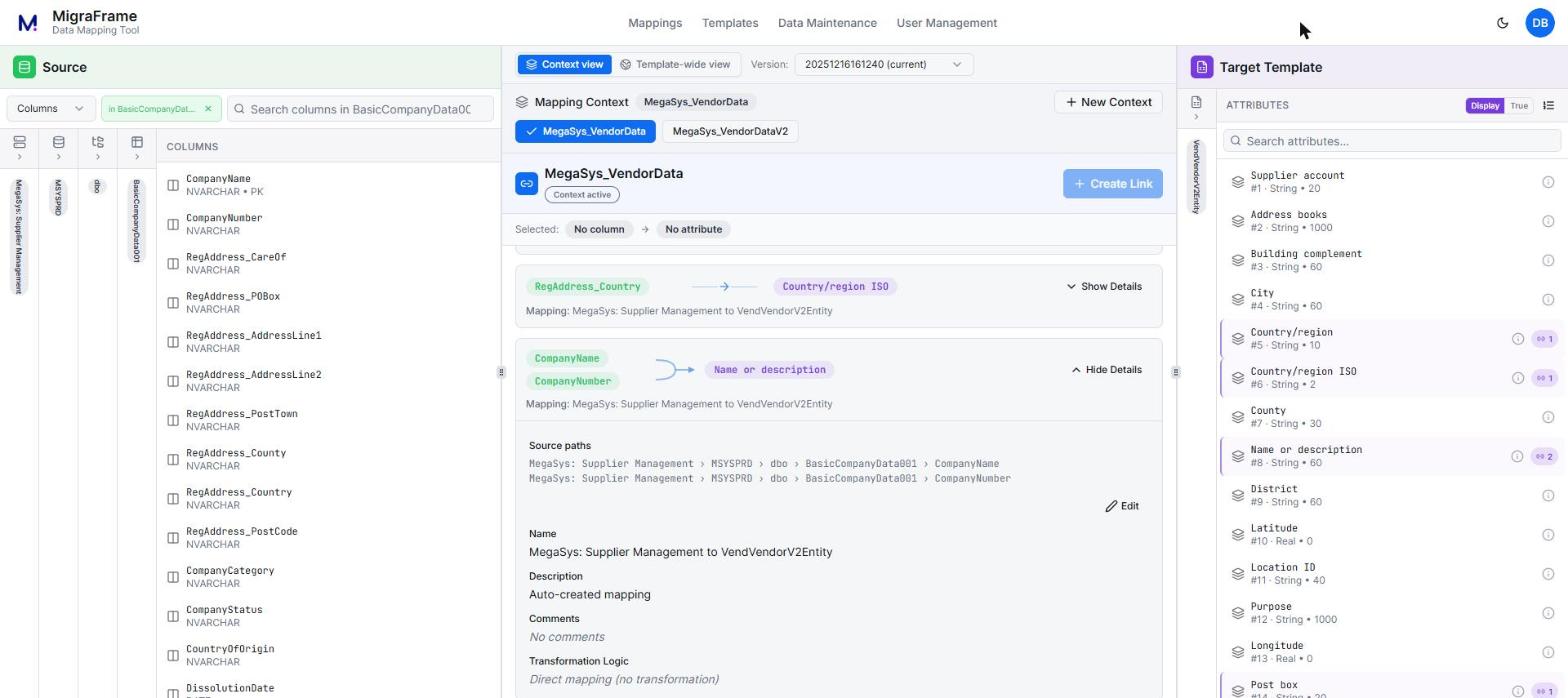
Pick a source column and a target field, and MigraFrame records the link, its full source path, the transformation logic and any comments. One-to-one links, several columns into one field and default values are all handled, so nothing lives in a spreadsheet on someone’s laptop.
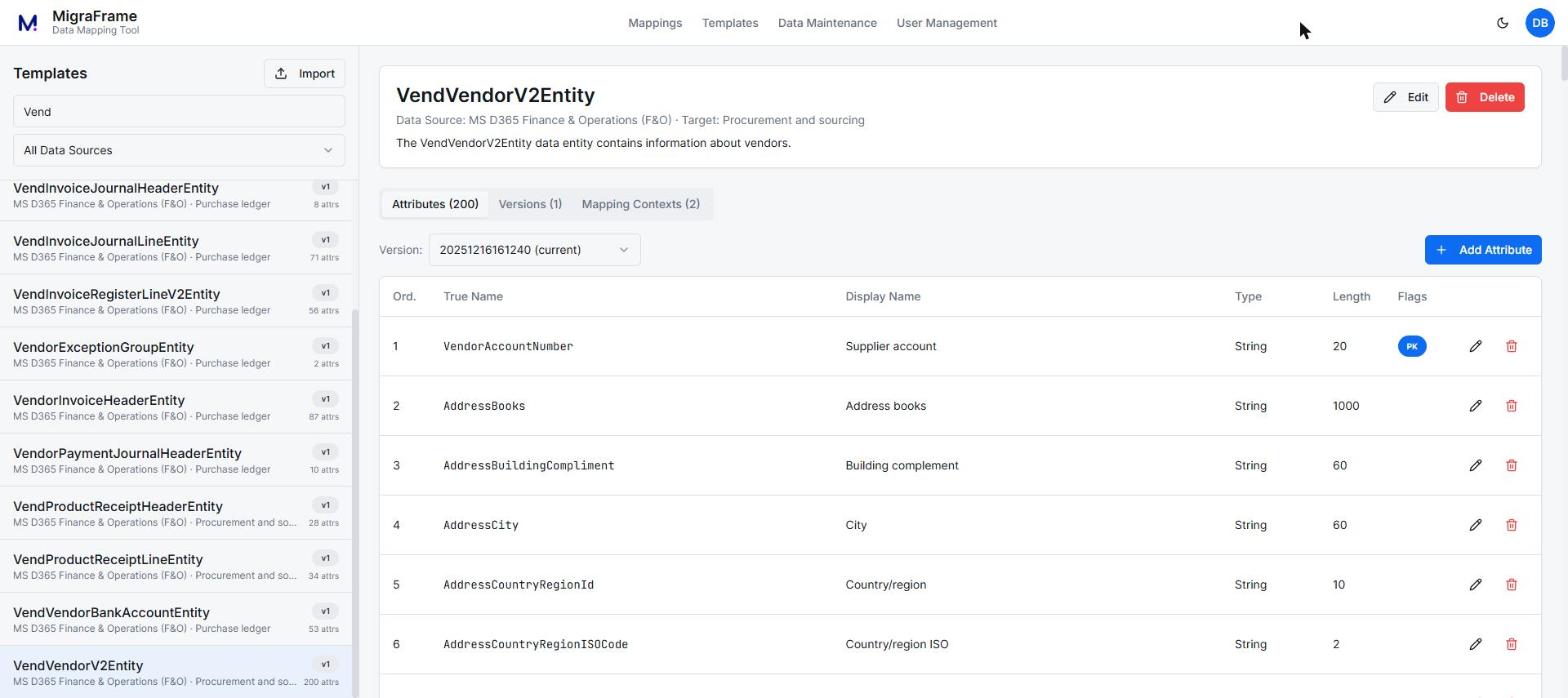
Your new system, modelled field by field.
Each target entity is held as a template, with every attribute, its type, length and key, and a version history. Templates import in bulk, and we already hold them for Microsoft Dynamics 365 Finance and Operations.
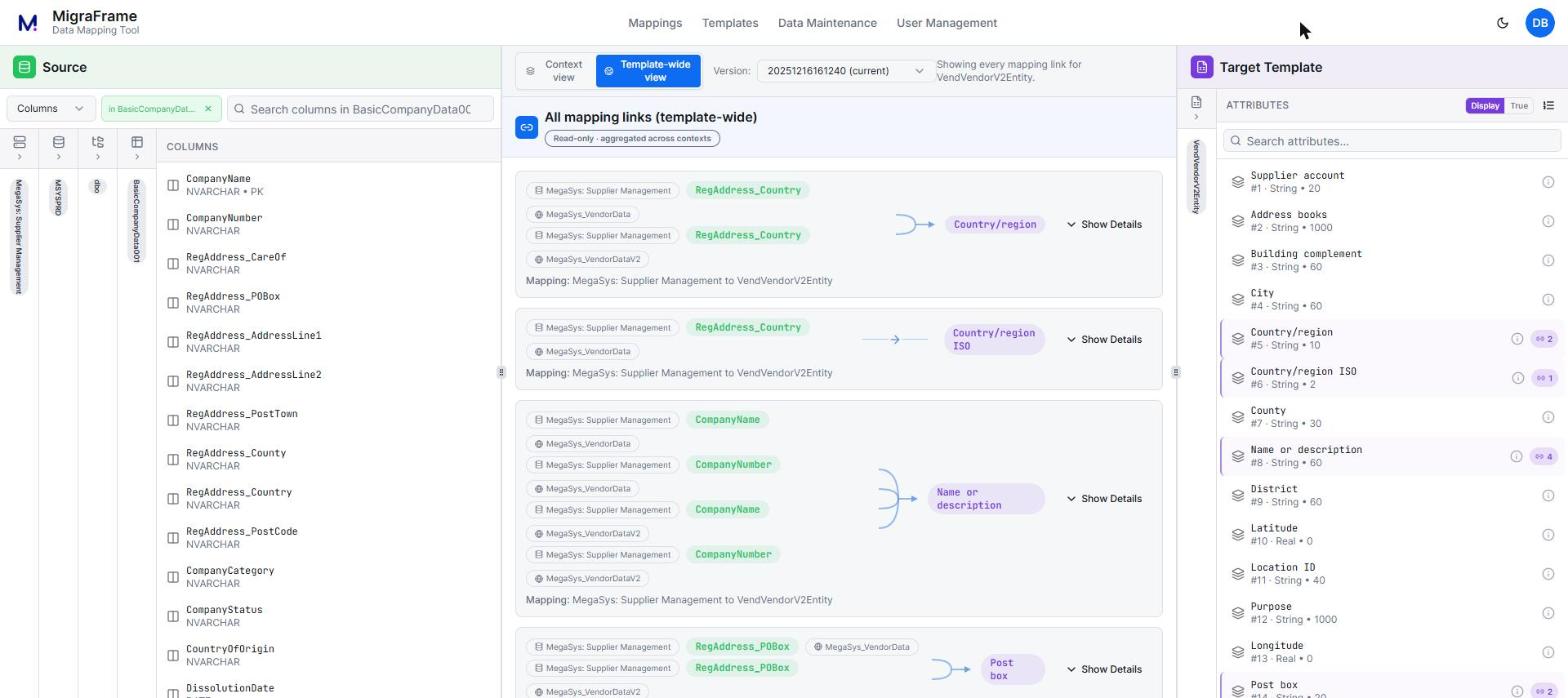
See every mapping at once.
Mapping contexts keep each source, phase or option separate. The template-wide view brings them together, so you can see every link into a target entity across the whole programme.
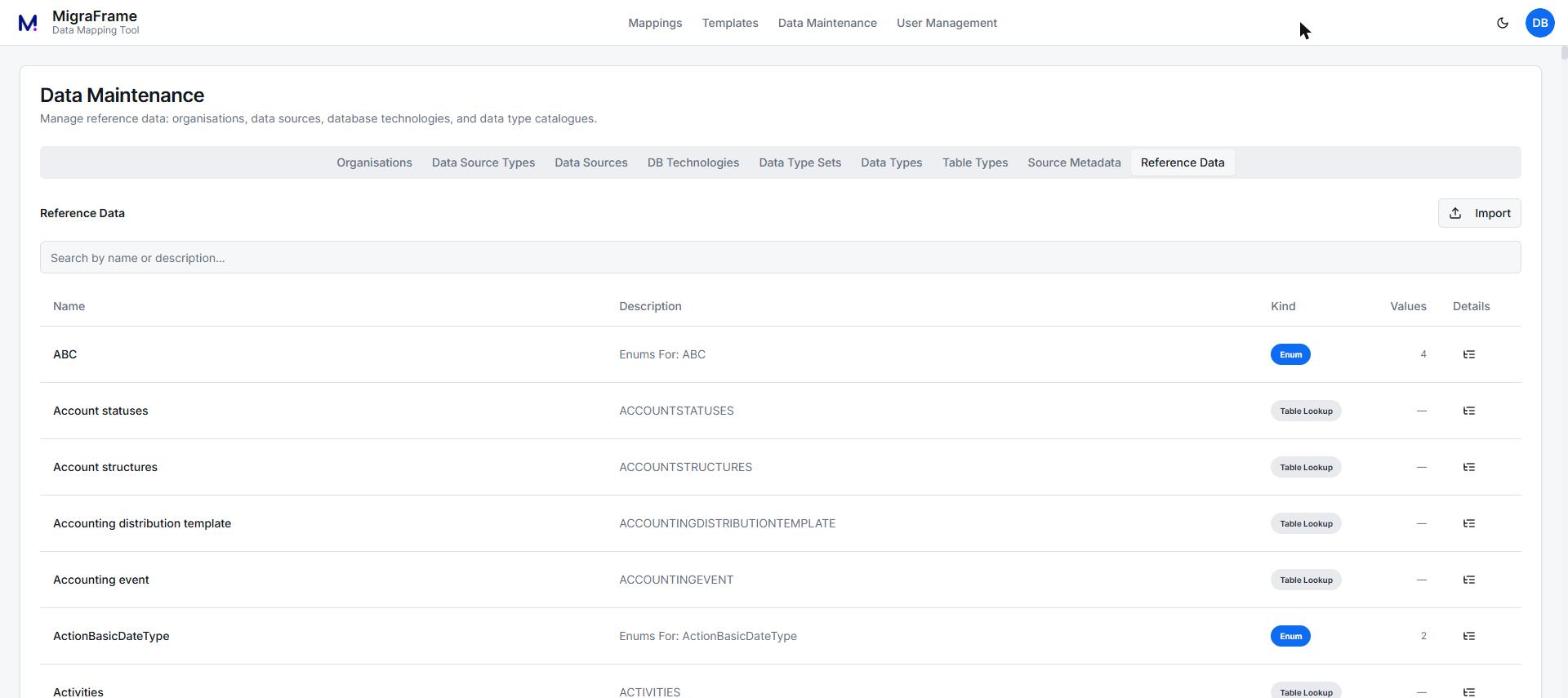
The values that have to match.
Enumerations and lookup tables from the target system are imported and maintained alongside the mappings, so the values you load are values the new system will accept.
Cartographer: know your data before you map it.
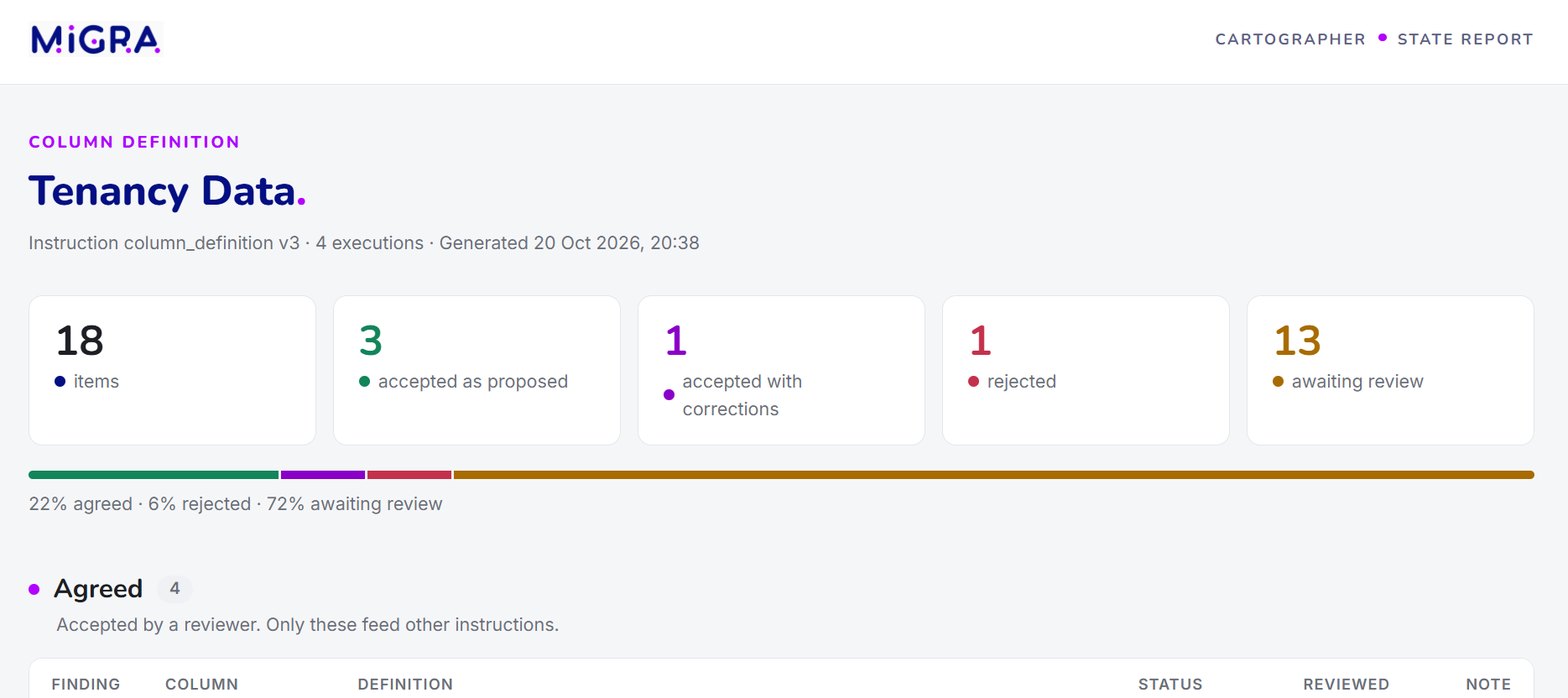
Cartographer is the data discovery and profiling tool in MigraFrame. It works through your source data and proposes a definition for every column. Your business experts and our consultants then accept, correct or reject each one, and only agreed definitions feed the next steps.
A state report shows where every item stands, who reviewed it and when, so you always know how much of your data is understood and agreed.
Every migration makes the next one better.
MigraFrame is AI-powered. It learns from every programme we run and puts that experience to work on yours, so each migration is faster, more predictable and higher quality than the last.
of AI projects unsupported by AI-ready data will be abandoned, according to Gartner. Source: Gartner
Learns from every migration
MigraFrame captures what worked on every programme we deliver: mappings, rules, transformations, the issues found and how they were fixed. That knowledge is applied to your data from day one.
Suggests, people decide
It proposes column definitions, source-to-target mappings, quality rules and fixes. Your experts and ours accept, correct or reject each one, and every decision is recorded.
Connected end to end
Discovery, profiling, mapping, quality, test loads and reconciliation are linked tools that share one picture of your data, so nothing is rekeyed between stages.
The whole programme at a glance
Live views show where every data object, rule and test cycle stands, so a small expert team can run a large, complex migration with full control.
Start small
Each part works on its own, so you can begin with a data discovery or a proof of concept on your own data before committing to the full migration.
Your data stays yours
The intelligence runs on our own models, not paid-for public AI services. It learns patterns, never passes one client’s data to another, and your data stays on UK-based servers.
The same rigour on every programme.
One version of the truth
The business, the build team and your platform partner all work from the same mappings.
Faster every time
Templates, rules and lessons from earlier migrations ready to use, so the work starts in week one.
Predictable cost
Proven templates and rules give you an accurate estimate from the start, and a fixed price for well-understood migrations.
Traceability
Every suggestion, decision and change is recorded, with who made it and why.
From first look to go-live.
Blueprint and design
Load the source structures and target templates, then build the first mappings with the business.
Build and test
Refine the rules and transformation logic in every test cycle, with each change recorded.
Implement
Final, signed-off mappings for cut-over, with the history of every decision behind them.
Questions about MigraFrame.
Does MigraFrame use AI?
Yes. MigraFrame has intelligence built in that learns from every migration we deliver. It proposes column definitions, source-to-target mappings, data quality rules and fixes, based on what has worked before, and flags the risks it has seen derail other programmes.
People stay in charge. Your experts and ours accept, correct or reject every suggestion, and each decision is recorded with who made it and why.
Is our data used to train MigraFrame?
MigraFrame learns from patterns, such as how a type of field is usually mapped or which rules catch which problems, never by passing one client’s data to another. It runs on our own models rather than paid-for public AI services, and your data is held on UK-based servers in line with UK data protection law.
Which systems does it work with?
Today MigraFrame reads source structures from Microsoft SQL Server, Oracle and Excel spreadsheets, and holds target templates for Microsoft Dynamics 365 Finance and Operations. New sources and targets are added as templates.
Where does MigraFrame run?
In your browser, on UK-based servers. Our team works in MigraFrame and shares the outputs with yours.
Is MigraFrame included in a Migra engagement?
Yes. MigraFrame comes with every Migra engagement. Our consultants bring it to your programme and use it from discovery through to cut-over, so you do not need to buy, install or support any extra software.
Cartographer, its data discovery tool, profiles your source data and proposes a definition for every column for your experts to accept, correct or reject. Source-to-target mappings, transformation rules, target templates and reference data are then held in one place, with the history of every change. Your business, your platform partner and our team all work from the same agreed outputs, and every decision can be traced back to who made it and why.
Can our team keep using it after go-live?
MigraFrame is the toolkit our team works in, but what it produces is yours. At the end of the programme you keep the signed-off mappings, the agreed data definitions and the record of the decisions behind them, ready for audit, support and future change.
On request, we also leave behind the data quality rules established during the migration, so your team can keep running the same checks after go-live and stop old problems from creeping back in. If you would rather we kept an eye on it for you, our data quality service can carry on where the migration leaves off.
See MigraFrame on your data.
Tell us about your programme and we will walk you through MigraFrame. We usually reply within one business day.